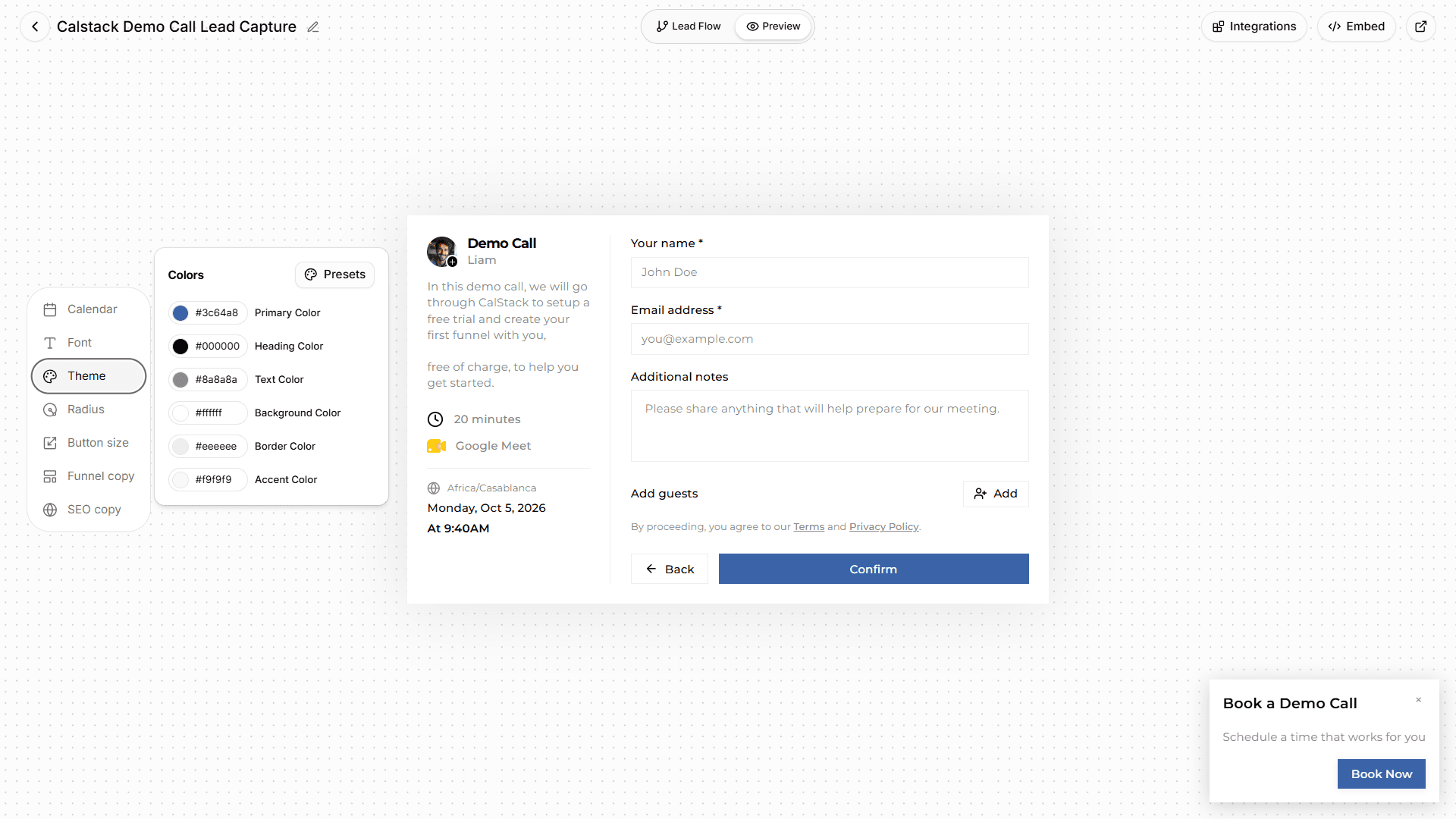
A widget that gives visitors a reason to book
The floating widget rotates short messages you write, so visitors see why to book before they click.
HubSpot Meetings lives in your CRM. CalStack qualifies leads first and preps every call in Google Meet.
| CalStack | HubSpot Meetings |
|---|---|
| Best for | |
| Teams that book qualified calls from their website and run them in Google Meet. | Teams that already run their sales in HubSpot's CRM. |
| Team price | |
| $47 a month billed yearly, up to 15 seats | $20 a seat a month on Sales Hub Starter |
| Stands out for | |
| Questions before the calendar, AI call prep, a Meet side panel | Built into the HubSpot CRM, Zoom and Teams links |
CalStack and HubSpot Meetings both book meetings from a link or an embed on your website. HubSpot Meetings is part of HubSpot's CRM, so every booking lands on a contact record, and team pages need a paid seat for each host. CalStack works without a CRM: it asks your qualifying questions before the calendar, preps each call with AI inside Google Meet, and costs one flat price for up to 15 seats.
| Feature | CalStack | HubSpot Meetings |
|---|---|---|
| Booking and qualifying | ||
| Booking page with its own link | Yes | YesOne page, with HubSpot branding |
| Booking calendar embedded inside a page | No | Yes |
| Team scheduling | ||
| Each host books on their own calendar | Yes | Yes |
| Round-robin across a teamSpread meetings evenly, or fill the most open slots. | PaidTeam plan | PaidStarter, a paid seat per host |
| Meetings that need several hosts free at once | PaidTeam plan | PaidGroup pages, Starter |
| Calendars and video | ||
| Google Calendar | Yes | Yes |
| Outlook and Microsoft 365 calendars | No | YesOffice 365 |
| Google Meet links on every booking | Yes | Yes |
| Zoom and Microsoft Teams | No | Yes |
| Before, during and after the call | ||
| AI call prep for every bookingTalking points from the lead's answers, ready before the call. | YesUses AI credits | PaidAI meeting assistant, Professional |
| Automations and integrations | ||
| Reminder emails or texts before the call | No | YesUp to three email reminders |
| Built-in CRM sync | NoThrough Zapier, n8n or webhooks | YesIt is HubSpot's CRM |
| Plans | ||
| Free plan | Yes3 booking pages, 1 seat | YesOne-on-one page |
| How seats are priced | Flat: up to 15 seats on Team | Per seat |
| Booking page in other languages | NoEnglish only | YesBooking page language setting |
CalStack charges one price per workspace with the seats included. HubSpot charges for each seat, and team pages need a paid seat for every host. Pick a team size to compare list prices.
CalStack
$47a month
Team plan, flat, up to 15 seats
HubSpot Meetings
$200a month
$20 × 10 seats, Starter, billed monthly, no yearly price published
List prices in US dollars from each vendor’s pricing page, checked October 2026. Both have a free plan for one person. HubSpot's product catalog lists Starter seats at $20 a month and no yearly price; HubSpot sometimes runs promotions on its pricing page.
The floating widget rotates short messages you write, so visitors see why to book before they click.
Every booking page starts with your qualifying questions, on the Free plan too. CalStack can draft them from a short description of who you want to meet.
A side panel in Google Meet shows the lead's answers and your AI talking points. Tag the outcome and take notes without leaving the call.
The Team plan covers up to 15 seats for one monthly price, so adding a teammate doesn't change the bill.
Each host connects their own Google Calendar. CalStack checks it for conflicts and adds a Meet link to every booking.
Add your scheduling page's custom questions to a booking page, where leads answer them before they pick a time.
Send each booking, with the lead's answers, to HubSpot through Zapier, n8n or a webhook, and add the widget to your site.
CalStack’s column comes from the product as it works today. Every HubSpot Meetings fact comes from HubSpot Meetings’s own site, checked October 2026. Prices are list prices in US dollars and change over time. If something here is out of date, tell us.
HubSpot Meetings is a trademark of its owner. CalStack is not affiliated with HubSpot Meetings.
CalStack vs Calendly
Individuals and teams who want a widely known scheduling link that works with any calendar and video tool.
CalStack vs Cal.com
Teams that want a broad scheduling platform with a generous free plan and enterprise controls.
CalStack vs Chili Piper
Revenue teams of 15 or more on Salesforce or HubSpot who want deep routing and are ready for a yearly contract.
CalStack vs SavvyCal
People who send scheduling links by hand and want the booking experience to feel personal.
CalStack vs Acuity Scheduling
Service businesses that sell appointments, classes and packages and take payment at booking.
CalStack vs RevenueHero
B2B teams that route leads from their existing forms using CRM data, and pay only for reps who get meetings.
All comparisons
Every tool we compare CalStack with, side by side.
Meeting Scheduling Software: Guide Automated Meeting Management
Looking for meeting scheduling software? Compare the best free and paid tools for booking meetings and rooms without the back-and-forth.
Automated Lead Follow-Up Software: How to Never Lose a Warm Lead Again
Manual lead follow-up is slow and costs you deals. Learn how automated follow-up turns website visitors into booked calls, and which tools do it best.
Best Scheduling App: Top Solutions for Teams, Small Business & Appointments (2026)
Looking for the best scheduling app? Compare top appointment booking tools for teams, small businesses, and professionals, including free options.
The free plan never expires. No credit card required.